Skip to content
Muiz Rexhepi
All work

Flagship project

Rendo POS

One order, from the guest to the kitchen.

A reusable restaurant platform connecting self-service ordering, a Windows cashier app, kitchen and bar stations, and the tools managers use after service.

Visit Rendo POS
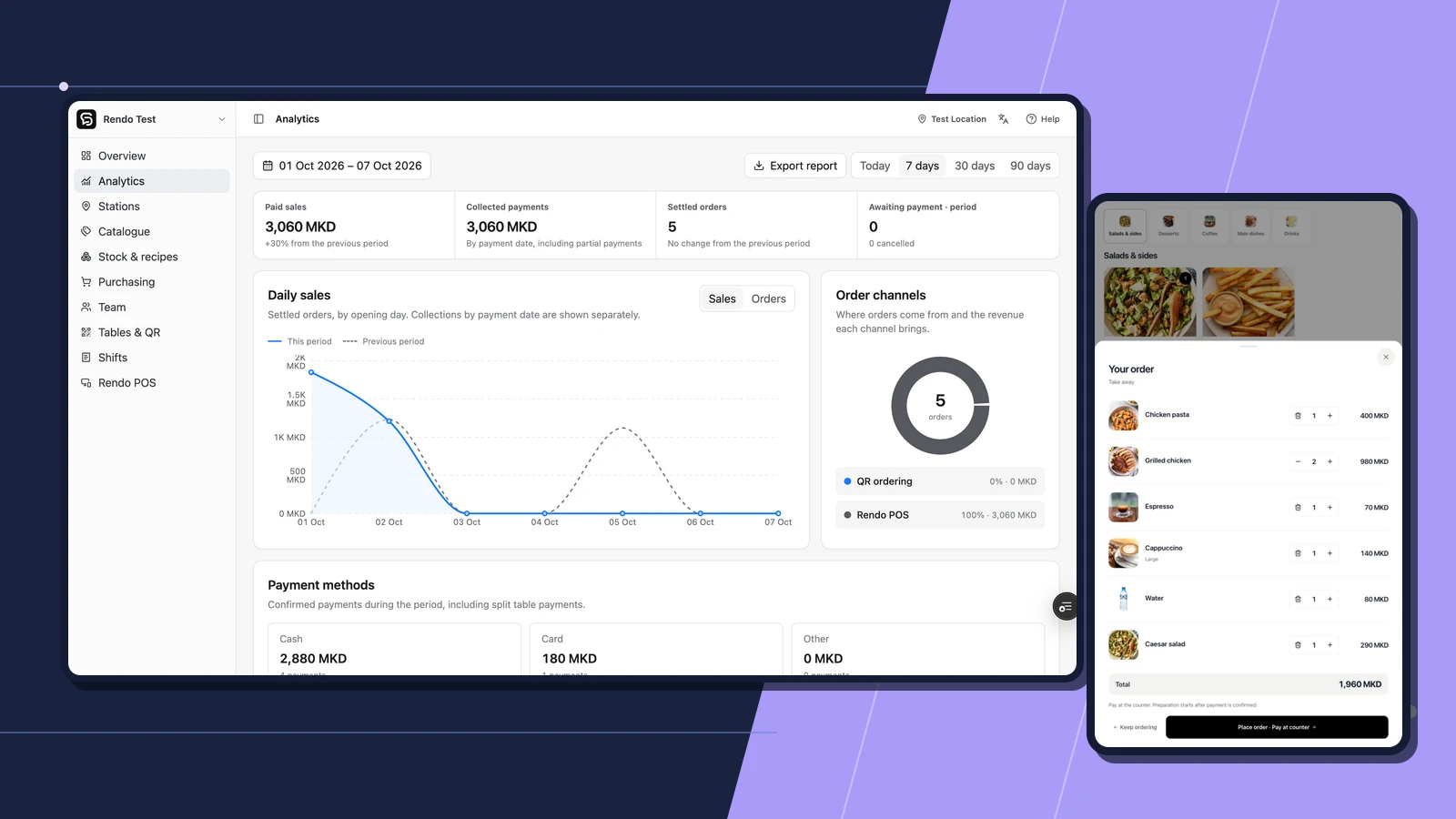
Rendo’s sales dashboard beside the self-service kiosk’s order review screen

The mission

Independent software product

Connect ordering, preparation, and management around the way a hospitality venue actually works.

The problem

Venues need a reliable handoff from guest or cashier to preparation and settlement. Staff also need to manage menus, shifts, stock, and access without piecing together separate records.

The solution

I built a shared platform with separate views for guests, cashiers, preparation teams, and managers. The Windows POS adds a local hardware bridge for configured terminals and printers.

Scope of work

  • Cashier POS
  • QR and kiosk ordering
  • Station and pickup views
  • Management dashboard

The result

Guests can order through QR or kiosk interfaces, staff can take orders and manage payment, and preparation teams receive the work assigned to them. Owners have menu, shift, stock, and sales tools connected to the same operation.

Ordering surfaces
3
Staff POS, guest QR ordering, and self-service kiosk.
Connected service flow
Order → pickup
Payment, preparation stations, and ready-order displays.
Operational visibility
Venue → owner
Location-specific menus, shifts, stock, and sales reporting.

Platform and client implementation

The platform behind the venue workflow.

Rendo is the reusable hospitality software platform. Ulliri Restaurant & Garden is a commercial client implementation, with its own restaurant website, menus, and Garden ordering experience. That separate case study shows how the customer journey connects to day-to-day restaurant operations.

Different ways to order. One shared workflow.

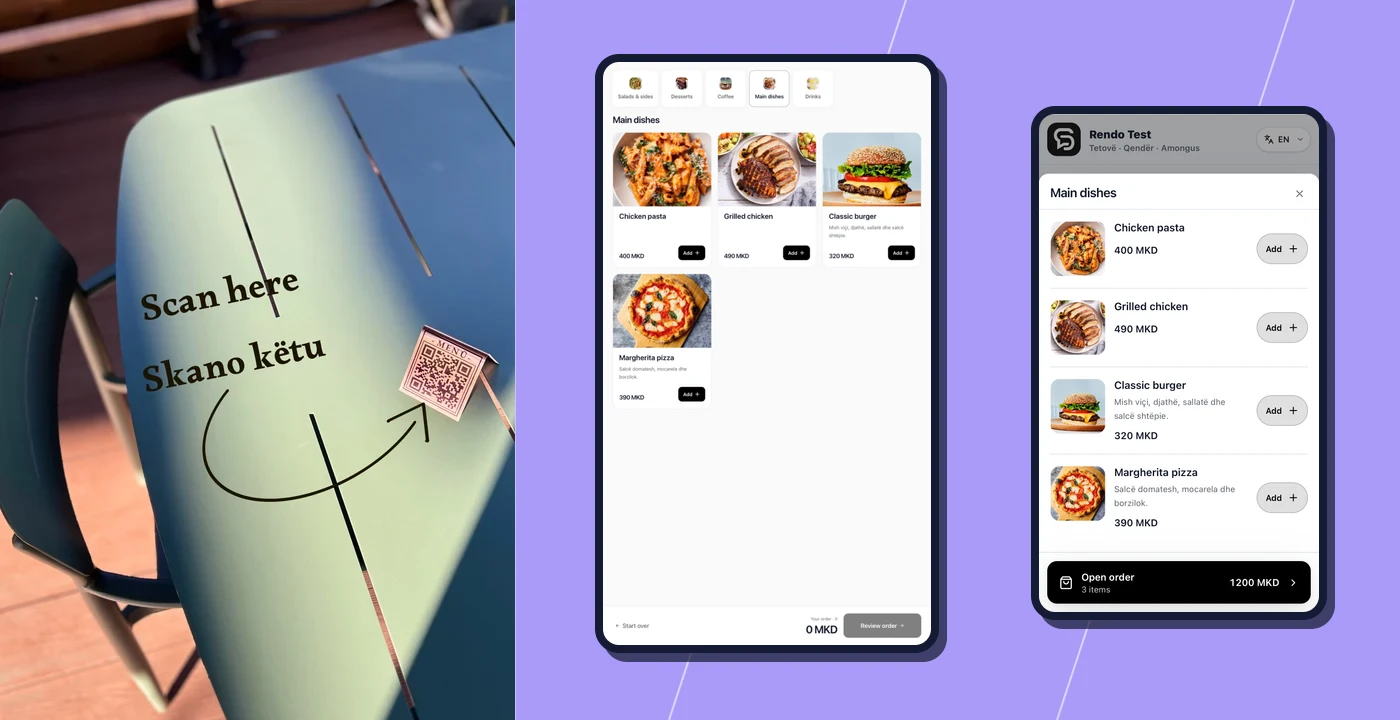
Staff can take counter orders and send rounds from open tables. Guests can browse the menu and place orders using a venue QR code or a self-service kiosk. Guest QR orders are paid at the cashier. Staff-managed tables can send a round for preparation while the bill stays open.

A Rendo QR sign on a restaurant table, alongside the kiosk menu and guest ordering screen

The kitchen and bar see the work assigned to them.

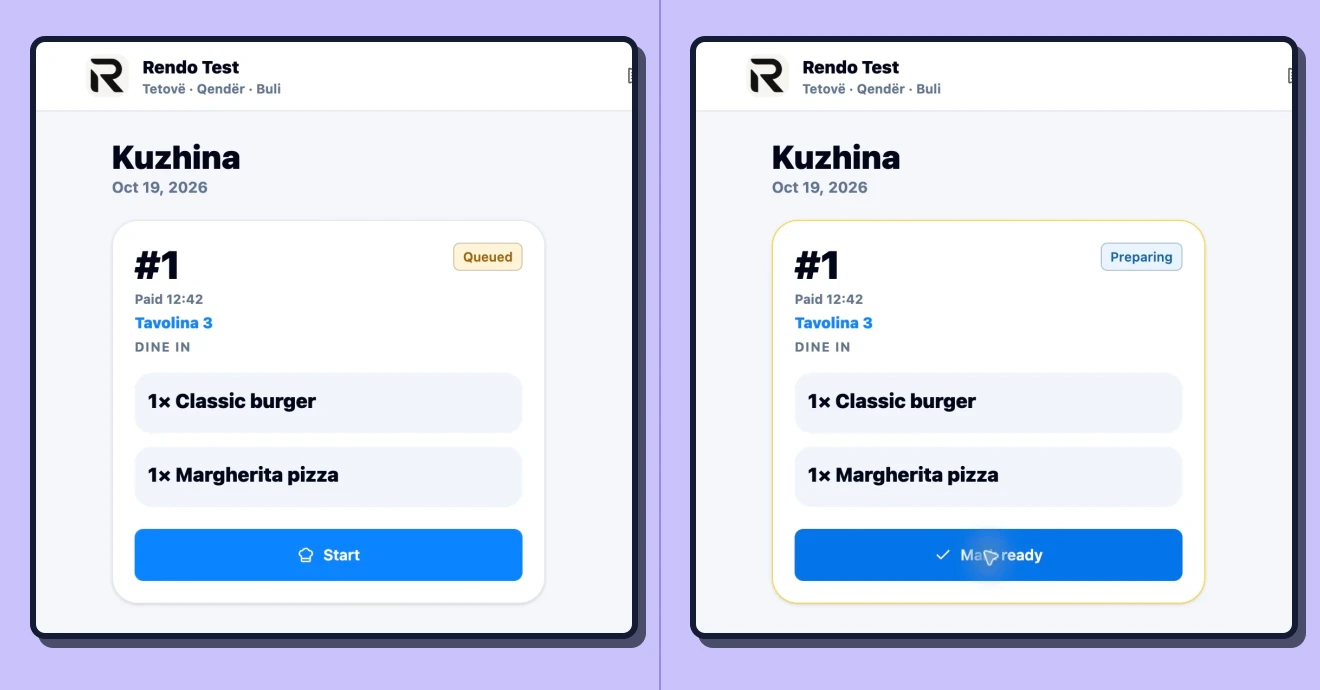
Where station routing is enabled, items go to their configured preparation station. Counter and QR orders route after payment, while staff table rounds route when sent. The station view tracks work in progress, and pickup displays can show when a counter or QR order is ready.

The same kitchen order shown as queued and then preparing at a Rendo station

Counter software that fits the venue.

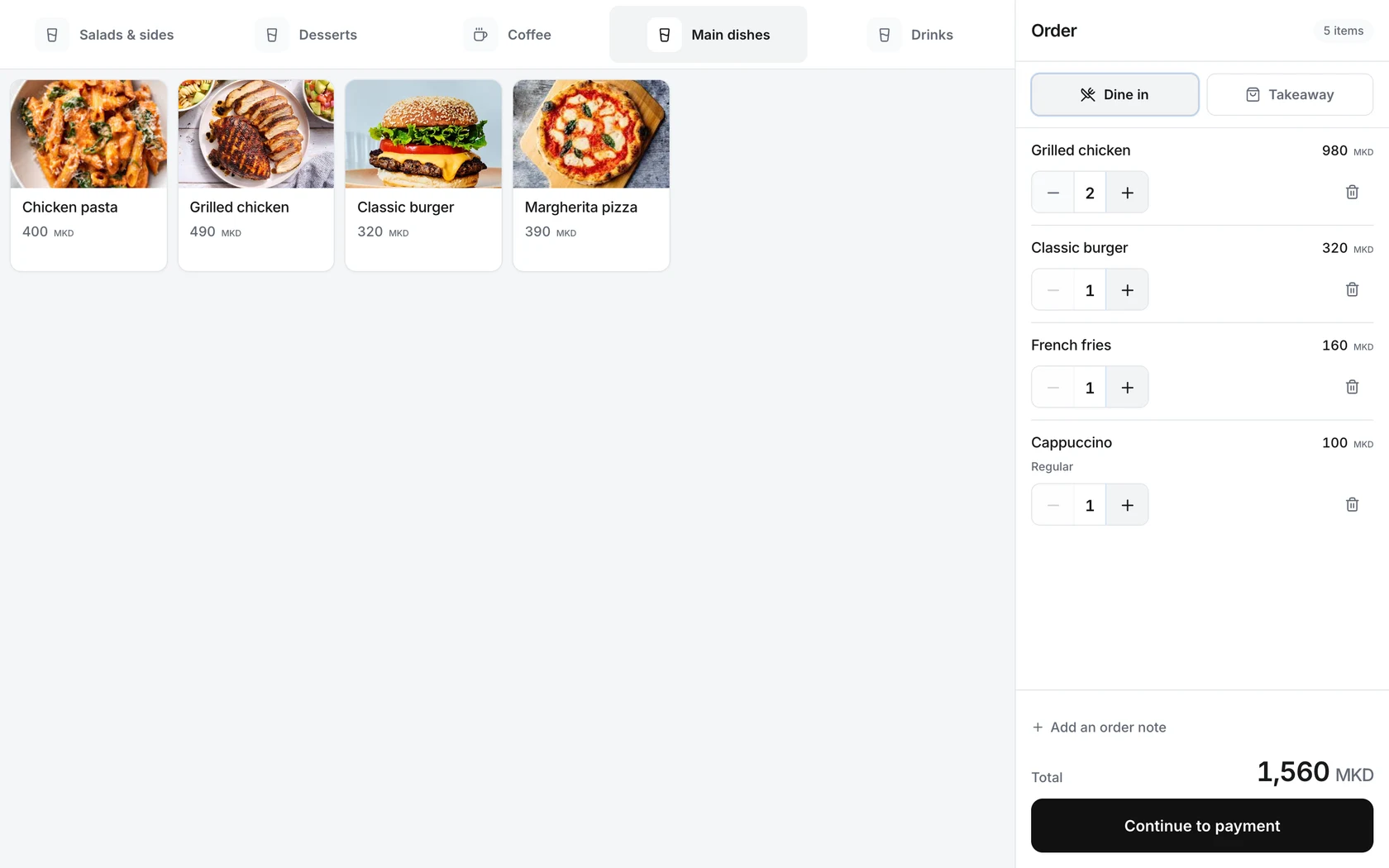
The cashier workspace connects ordering and payment to the venue’s configured terminals and printers. Staff use an interface designed for counter service, while supported new counter orders can queue during a connection interruption and submit after reconnection.

Rendo’s Windows cashier workspace with a menu and an active order awaiting payment

Managers see what happened during service.

The back office gives managers location-specific control over menus, products, staff roles, devices, and shifts. Sales and shift reports support review after service. Multi-location businesses can manage their organization while keeping each location’s operating data scoped to that location.

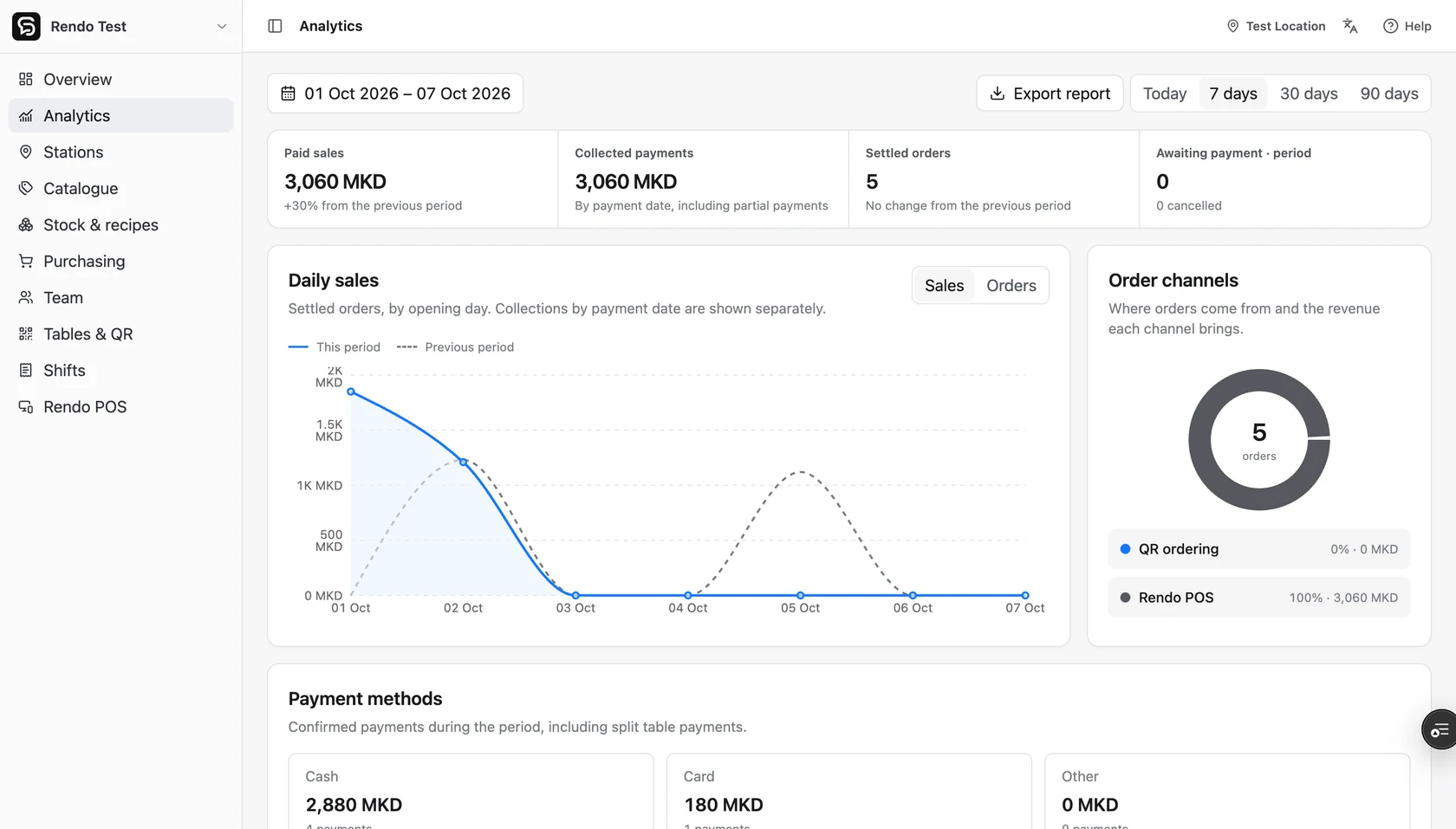
Rendo’s analytics dashboard showing sales, payment methods, and ordering channels in a demo location

Purchasing, recipes, and inventory stay connected.

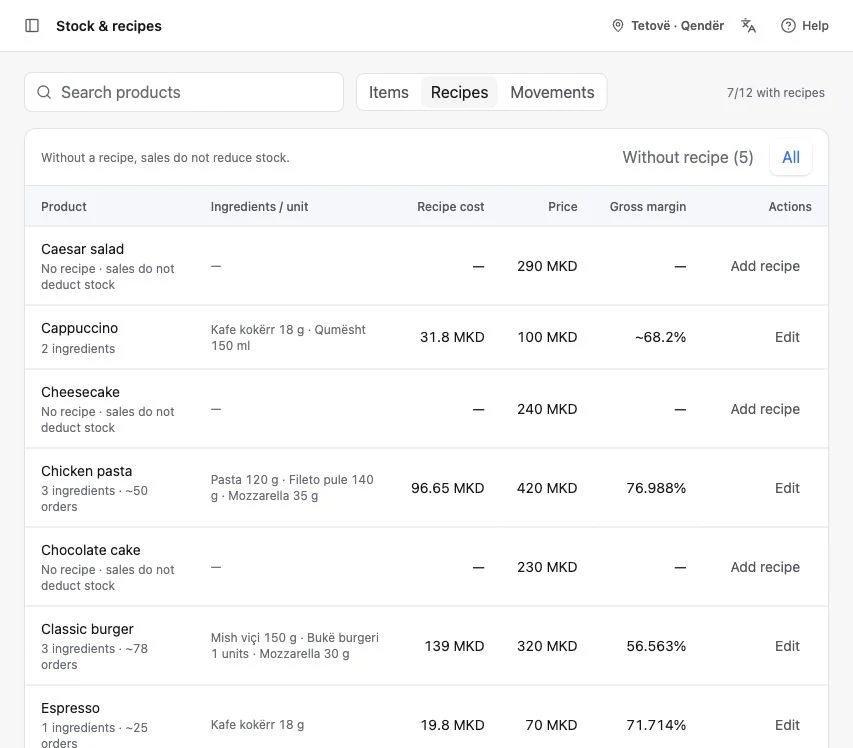
Optional modules track recipe ingredients, stock movements, suppliers, and purchase orders. Receiving a delivery records the quantities and costs actually received and updates stock at the relevant location. Activity tracking and notifications help owners follow operational changes.

Rendo’s recipe management screen with ingredient quantities and costs in a demo location

Building software around a daily operation?

Tell me how work moves through your business today and where the handoffs are getting in the way.

Start a Project